
Download 2 Pane Bookmarks – Firefox Extension, Bookmark Management, Productivity Tool
Overview
2 Pane Bookmarks is a Firefox extension designed to enhance the usability of the browser’s bookmark sidebar. By restructuring the traditional single-panel layout into a dual-pane format, the tool aims to streamline the process of navigating and managing bookmarks. This approach allows users to view all bookmark folders in one pane while simultaneously displaying the contents of the selected folder in the other, significantly improving access speed and organizational clarity. The extension is particularly beneficial for users who maintain large collections of bookmarks and rely on them for daily research, content curation, or workflow efficiency.
Its primary purpose is to reduce the number of clicks and navigational steps required to locate a specific bookmark. Instead of repeatedly opening and closing folders, users can now browse through the folder hierarchy in the upper panel and instantly view associated links in the lower panel. This dual-view functionality supports a more intuitive browsing experience, minimizing cognitive load and reducing frustration during long research sessions or content gathering tasks.
Target users include power users, researchers, students, and professionals who depend heavily on saved web links. The extension’s focus on efficiency and clarity makes it a valuable addition to any Firefox user’s toolkit. Although the developer’s background is not publicly disclosed, the extension has been available since 2009, indicating a long-standing presence in the Firefox ecosystem. Despite its age, the tool remains relevant due to its consistent utility and minimal maintenance requirements.
2 Pane Bookmarks fills a niche in the browser productivity space by addressing a long-standing usability gap in Firefox’s default bookmark interface. While other tools offer similar features, this extension stands out for its simplicity and direct impact on workflow efficiency.
Key Features & Functionality
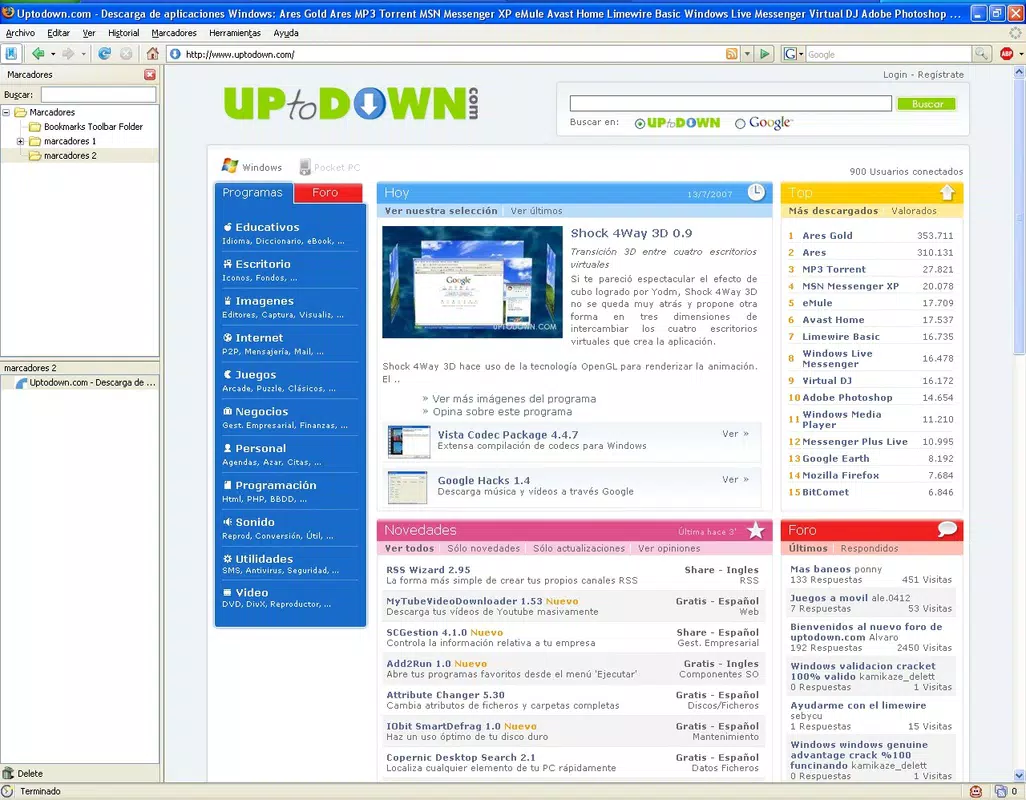
- Dual Bookmark Panels: The core functionality divides the bookmark sidebar into two distinct sections. The upper panel lists all bookmark folders, while the lower panel dynamically displays the contents of the currently selected folder. This layout enables simultaneous access to both structure and content, eliminating the need to navigate back and forth.
- Increased Efficiency: By allowing users to preview folder contents without opening them, the extension reduces the number of clicks required to locate a specific bookmark. This is especially useful when managing hundreds of bookmarks across multiple categories.
- User-Friendly Interface: The design is clean and minimal, avoiding visual clutter. The separation of folders and their contents enhances readability and makes the browsing experience more intuitive, even for users with moderate technical experience.
- Ideal for Frequent Users: The tool is optimized for individuals who regularly access bookmarks. Its ability to reduce navigation time supports a smoother workflow, particularly during research, writing, or content aggregation tasks.
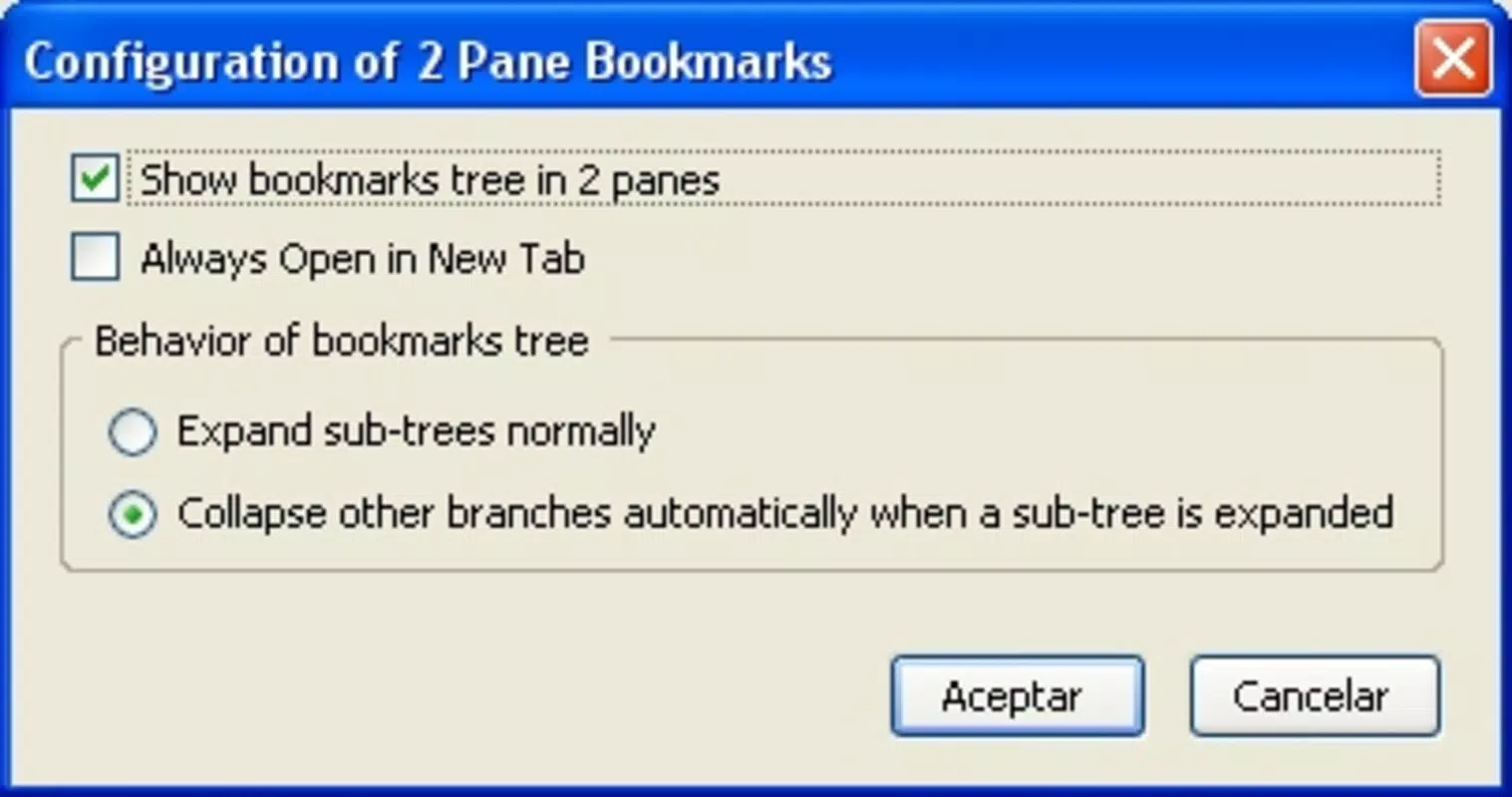
- Customizable Experience: While specific customization options are not detailed, the extension allows users to adapt their bookmark management process to personal preferences, promoting a tailored and efficient experience.
For example, a student preparing for exams might use the upper panel to quickly browse folders like “Biology Notes” or “Physics Formulas,” then instantly view all saved resources in the lower panel. Similarly, a content creator could organize bookmarks by project and access related links with minimal effort. The extension’s functionality is directly tied to real-world use cases where speed and clarity are essential.
Interface, UX & Performance
The interface of 2 Pane Bookmarks follows a clean, two-column layout within Firefox’s sidebar. The upper pane displays a hierarchical list of bookmark folders, while the lower pane presents a flat list of links from the selected folder. Navigation is straightforward: clicking a folder in the upper pane updates the lower pane in real time, enabling seamless browsing.
Visual design is minimalistic, prioritizing function over aesthetics. There are no animations or complex transitions, which contributes to a stable and predictable user experience. The layout is consistent across sessions, ensuring users can rely on the same structure every time they open the bookmark sidebar.
Although the developer did not list formal performance metrics, the extension operates efficiently within Firefox’s environment. It does not appear to introduce noticeable lag or memory overhead, even when managing large bookmark collections. The responsiveness of the interface is consistent, with immediate updates when switching between folders.
Stability is a key strength. The extension has remained functional since its initial release in 2009, suggesting a reliable codebase with minimal bugs. Users can expect consistent behavior across different Firefox versions, though specific compatibility details are not provided. The extension does not require frequent updates, which may indicate a mature and stable product.
Platform Compatibility & Technical Requirements
2 Pane Bookmarks is designed specifically for the Firefox browser. The platform is listed as Firefox, and the extension is compatible with the desktop version of the browser. The developer did not specify minimum OS requirements, nor did they list the exact file size or version number.
Compatibility information was not fully disclosed, so users should ensure their Firefox version is up to date to avoid potential issues. The extension is not available for mobile browsers or other platforms such as Chrome or Edge. Its functionality is limited to Firefox’s desktop environment.
Given that the extension has been active since 2009, it is likely compatible with current and recent versions of Firefox, but users are advised to verify compatibility through the official Firefox Add-ons website before installation.
Pros and Cons
Pros
- Efficient dual-pane layout improves bookmark navigation speed
- Intuitive interface reduces learning curve for new users
- Minimal performance impact on browser resources
- Long-standing availability with proven reliability
- Supports power users managing large bookmark collections
Cons
- Not available for mobile or non-Firefox platforms
- Developer did not provide detailed technical specifications
- Customization options are limited in scope
- May not integrate with third-party bookmark tools
- No official update frequency or changelog provided
FAQ
Is 2 Pane Bookmarks free to use?
Yes, the extension is available at no cost through the Firefox Add-ons platform.
Can I use 2 Pane Bookmarks on mobile browsers?
Currently, the extension is only compatible with Firefox on desktop. It is not available for mobile devices or other browsers.
Does 2 Pane Bookmarks require special permissions?
The developer did not disclose specific permissions. However, as a Firefox extension, it may require access to browsing data and bookmarks for functionality.
How often is the extension updated?
Update frequency was not specified by the developer. The extension has remained functional since 2009, suggesting infrequent but stable updates.
Is 2 Pane Bookmarks secure to install?
Yes, the extension is distributed through the official Firefox Add-ons website, which verifies and secures all published extensions. It is considered safe for installation on compatible systems.
Final Thoughts
2 Pane Bookmarks remains a niche yet highly effective tool for Firefox users seeking to optimize their bookmark management. Its dual-pane interface delivers a tangible improvement over the default sidebar, offering faster access, clearer organization, and a smoother browsing experience. While it lacks modern polish and mobile support, its core functionality is robust and purpose-built.
Power users, researchers, students, and professionals who rely on extensive bookmark collections will benefit most from this extension. It represents a practical solution to a common frustration in web browsing—navigating large sets of saved links.
Despite its age, the extension continues to serve its purpose with minimal overhead and consistent performance. For those using Firefox and managing bookmarks regularly, 2 Pane Bookmarks is a reliable, no-frills utility that enhances productivity.
Download 2 Pane Bookmarks now


